All elements in the CSS are represented as box , box has following properties
- The content
- Padding around the content
- Border
- Margin
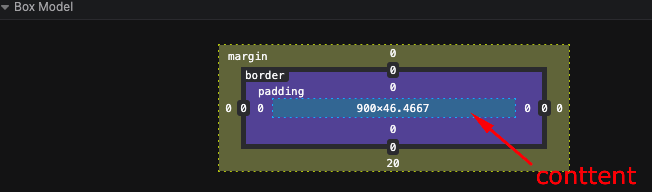
The height and width CSS properties take up only the content height and width but the computed height and width of the element will be including the padding and border
This behavior can be disabled by using box-sizing: border-box CSS rule, which will make the CSS height width properties take the padding and border also in the consideration by default.
Margin Collapsing:
Margin property is used to add spacing between two or more elements, it is outside the border and does not increase height/width of the element
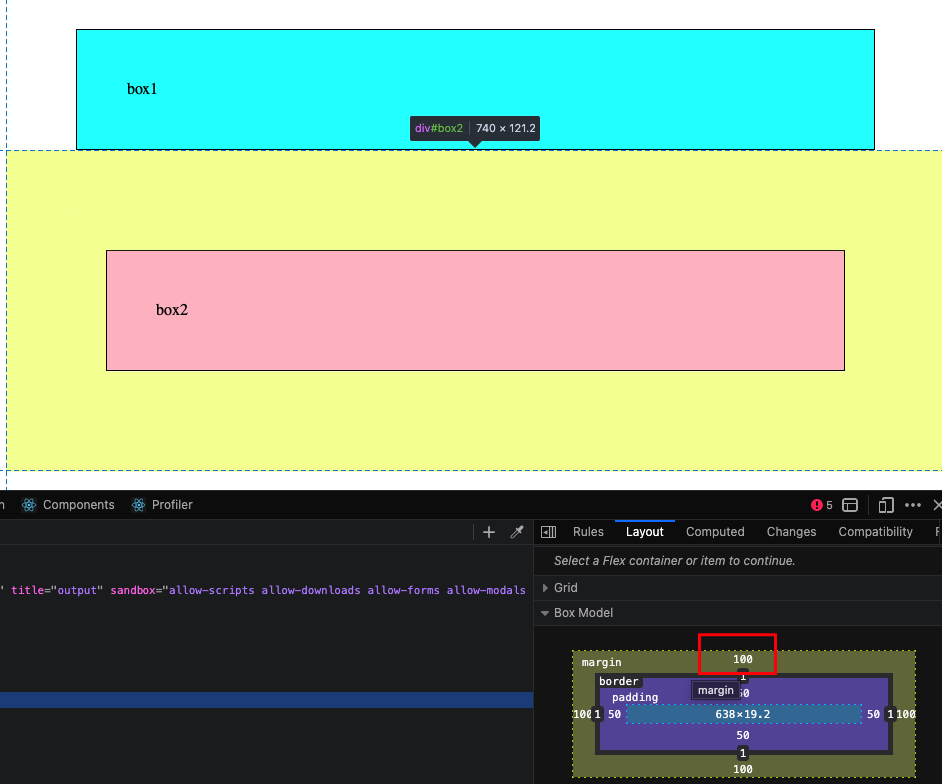
When two elenents adjacnet to each other have margin, then their margin is collapsed and only the margin with bugger value is applied
eg. below the box1 has margin 70px , and box2 has100px, we’d think the space between them would be 170px but it is only 100px due to margin collapsing
Leave a Reply