CSS position property defines how the element is positioned wrt to the document flow
There are following types of positions available
- Static
- Relative
- Absolute
- Fixed
- Sticky
Static is what all elements are positioned by default, statically positioned elements follow the normal document flow
Relative positioned elements also follow the document flow same as static but it enables properties like top,bottom,left,right which we rarely use
Absolute position elements are not considered part of the document flow and changing their placement does not affect the other elements in the page
Absolute also allows for properties top,bottom,right,left which define the spacing of the elements from parent with one imp thing that the parent of the absolutely positioned element should be relatively positioned, if not then it takes the upper parent that is relatively positioned or the whole page itself
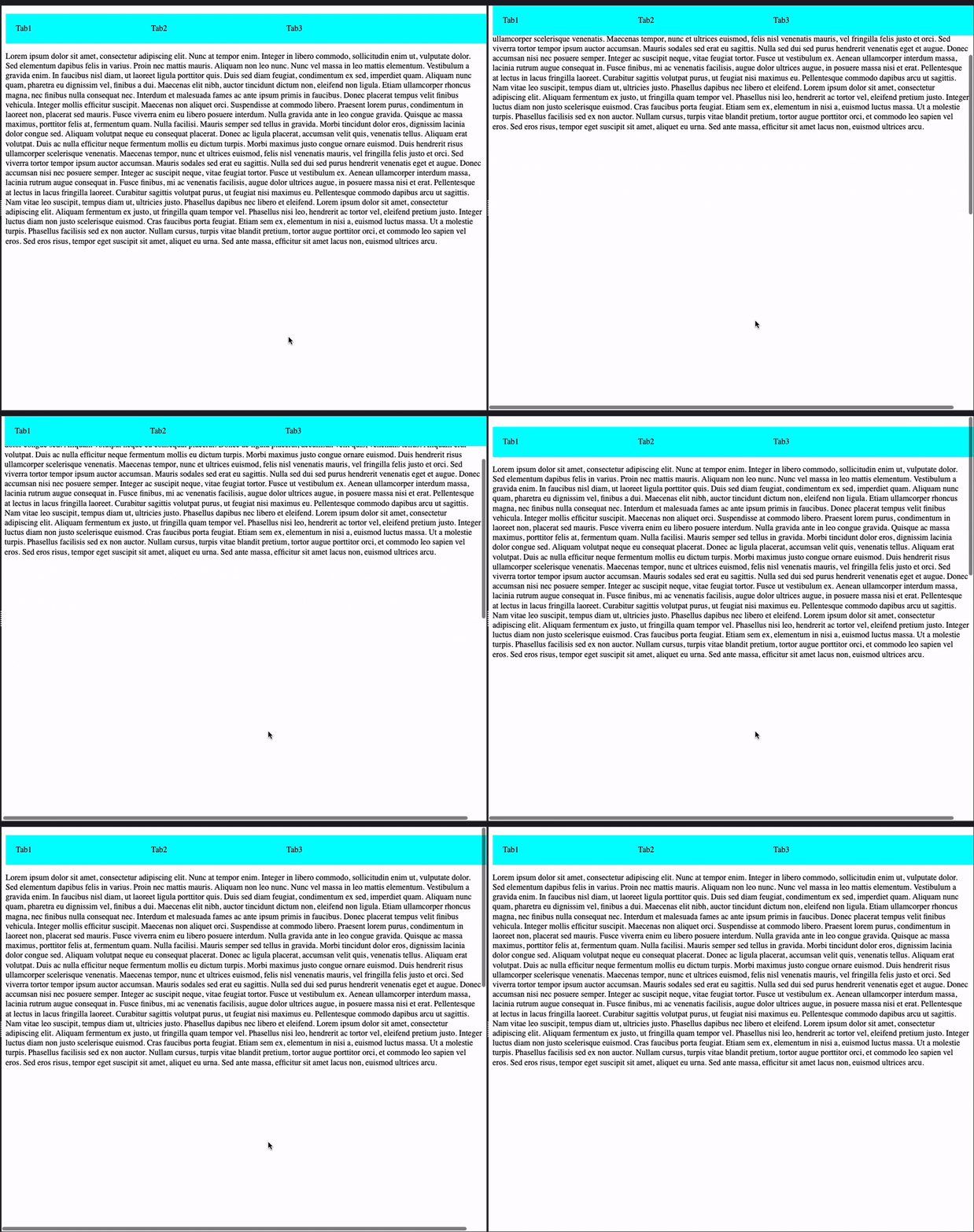
Fixed positioned, as it describes makes the element fixed to the page, i.e the element does not go out of view even when scrolling. (eg. top nav bars of the site that stay visible even when scrolling or the annoying ad banner that stay in the place even when scrolling )
Only pain point here is that this takes the element out of the document flow, so say for eg we want to put something above our nav menu, making it Fixed will not work, that’s when the sticky position is used
Sticky position is combination of both relative and fixed, i.e sticky element will act like a relatively positioned one when in view but as we scroll down it will become fixed, when it becomes sticky can be handled by the top property, it also again becomes relative when its parent is not longer in view, awesome right?
Z index and stacking order
When we position elements such that they stack on top of each other
eg.
 <div class="one">
            1
        </div>
        <div class="two">
           2
        </div>
        <div class="three">
           3
        </div>
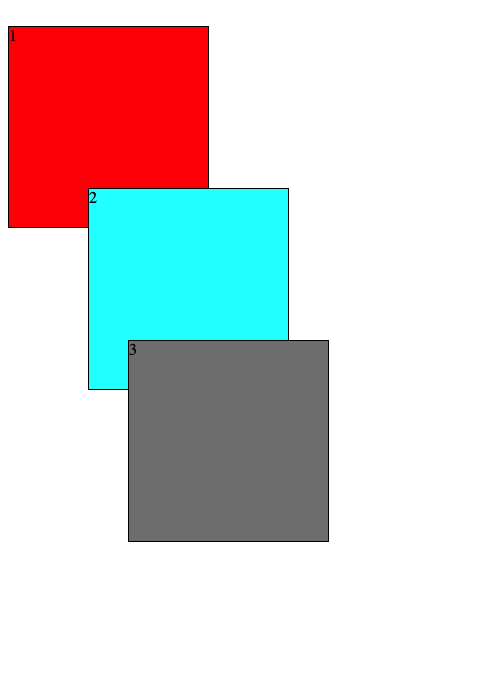
If we have not specified any z index they stack as they appear in the document one by one
We can use the z-index property to change this stacking order
eg.
This will make the box 2 stack on top of 1 and 3
.two{
    border: 1px solid ;
    background-color: cyan;
    height: 200px;
    width: 200px;
    position: relative;
    margin: -20px;
    left: 100px;
    z-index: 2;
}
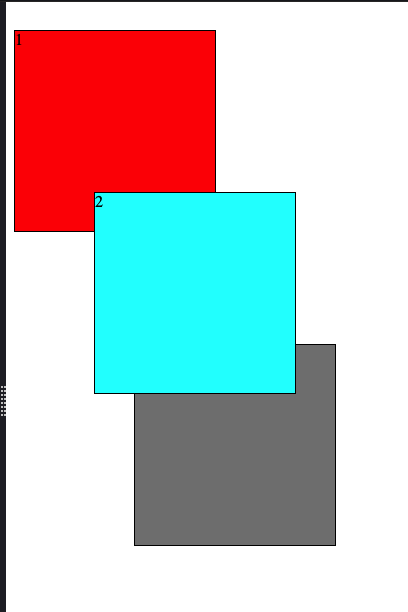
Higher the value of z-index more on top the element will be, we can use this to stack the elements differently and create layouts and or components that look appealing
Stacking Context
stacking context determined how the elements layer on each other, eg, a div positioned as relative and z-index other than auto will create a stacking context for all the elements inside it so the elements will share the stacking context with their siblings but the parent div itself will be in its parents stacking context as single unit, i.e even if we increase z-index of the elements inside the div more than the parent of the div, they will still be layered below the sibling of parent if parent’s z index is lesser ( ahh so confusing )
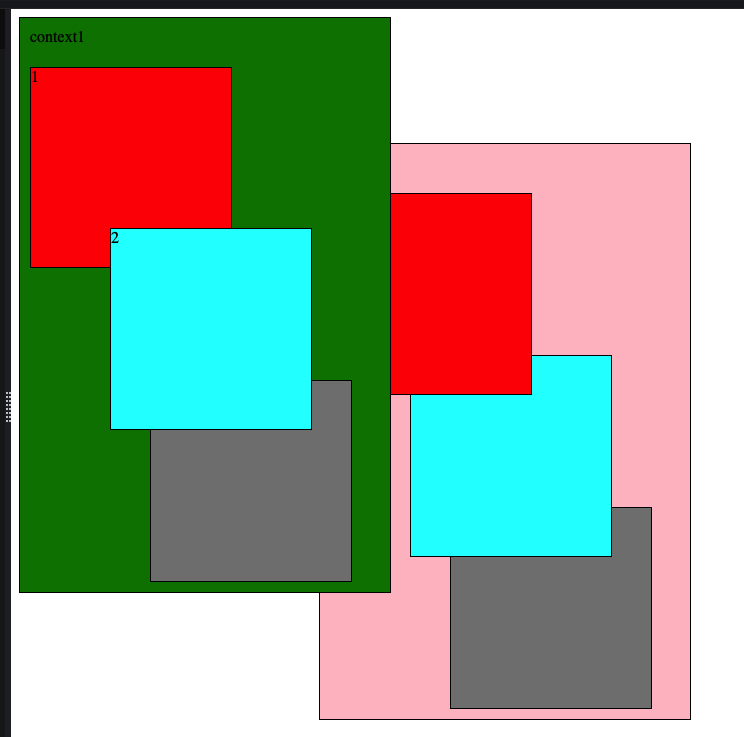
eg, say we have 2 sibling divs
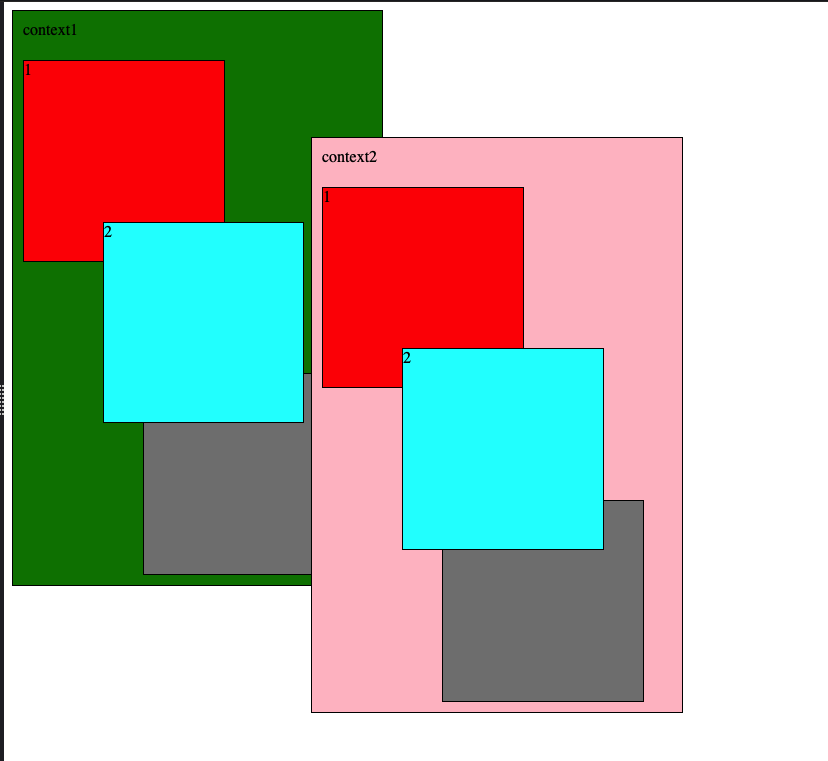
Now both of these are relative positioned, but as you can see, even if we increase the z-index of the children of context1 , they do not layer above the context2 since the stacking context restricts their layering to their own context
To bring the context1 up we have to increase z-index of the context1 to be greater than context2
Leave a Reply