- Git Stages
- How to add Content to wordpress
- How to create new posts and pages
- Creating Child pages
Git Stages
There are 3 stages in git
- Untracked : The filed is not being tracked by git
- Staged : The files has been added to git but the changes are not committed yet
- Committed : changes are commited
-
By running
git statusin terminal we get status of our current directory, (a git repo must be initialised before usinggit init).
It shows info like which files are not tracked, which files are staged -
You can add files to staging area using
git add [filename]orgit add .to add all files -
Finally we commit the changes we have made and also put a message explaining what we did and why we did it using
git commit -m "message"
How to add content to wordpress
wordpress is a CMS(content management system), we can create posts on it and publish them as our daily blog, or use for documentation of our software or even create a portfolio for ourselves showcasing our skills.
Two ways to add content to wordpress :
- creating pages
- Creating posts
Pages: We create pages to display content that is not going to change or rarely change on our site, like a home page for our site.
Posts: Posts are for sharing updates, like writing blogs and are time relative, we keep creating new posts to update our site.
Creating new posts and pages in wordpress
We can go on left navigation of wordpress admin and click on posts, then click on add new
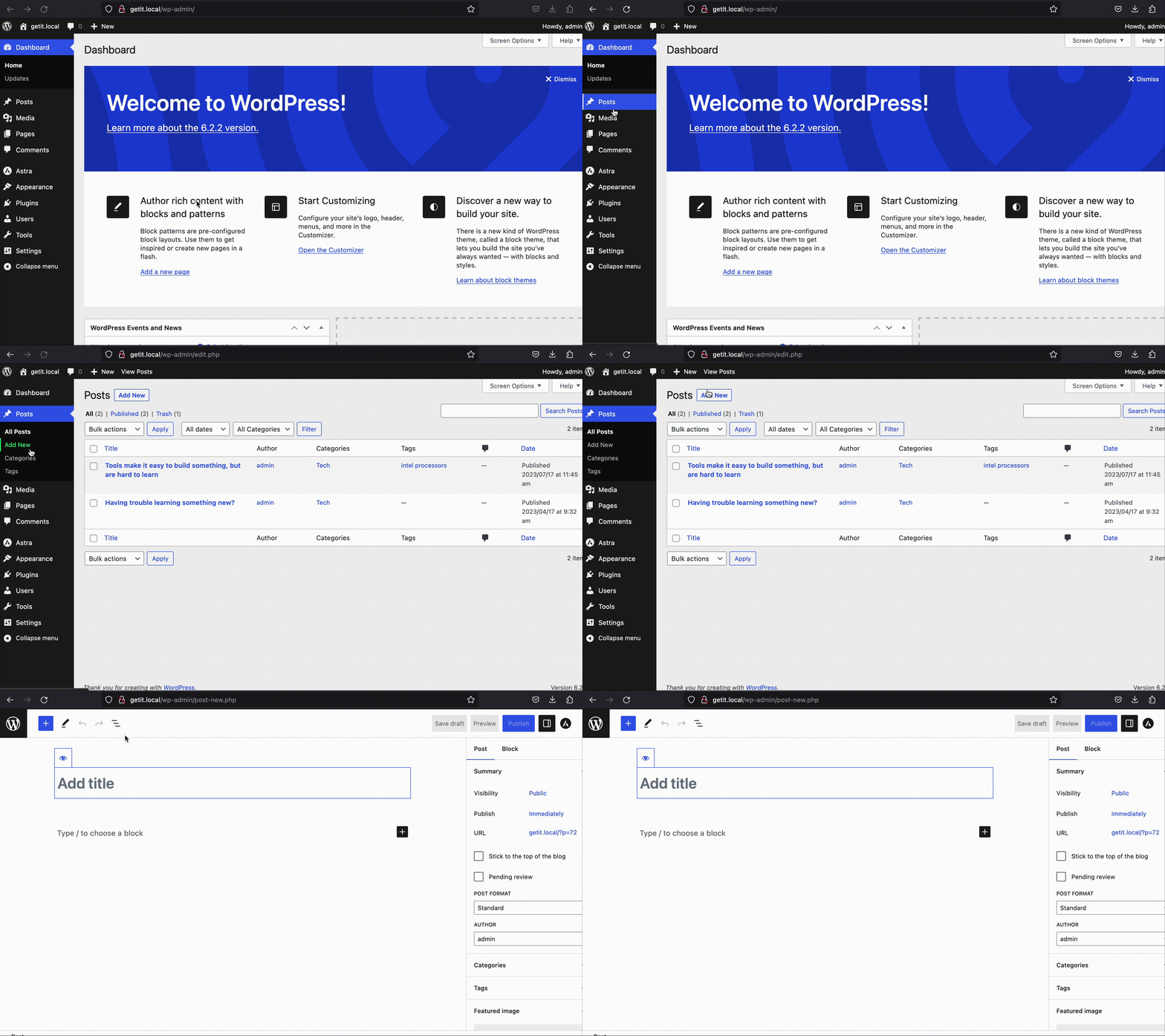
Same for the pages also we can do.
How to create a child page?
WordPresss allows us to create heirarchy of pages using parent child relationship, we can also add this in our navigation.
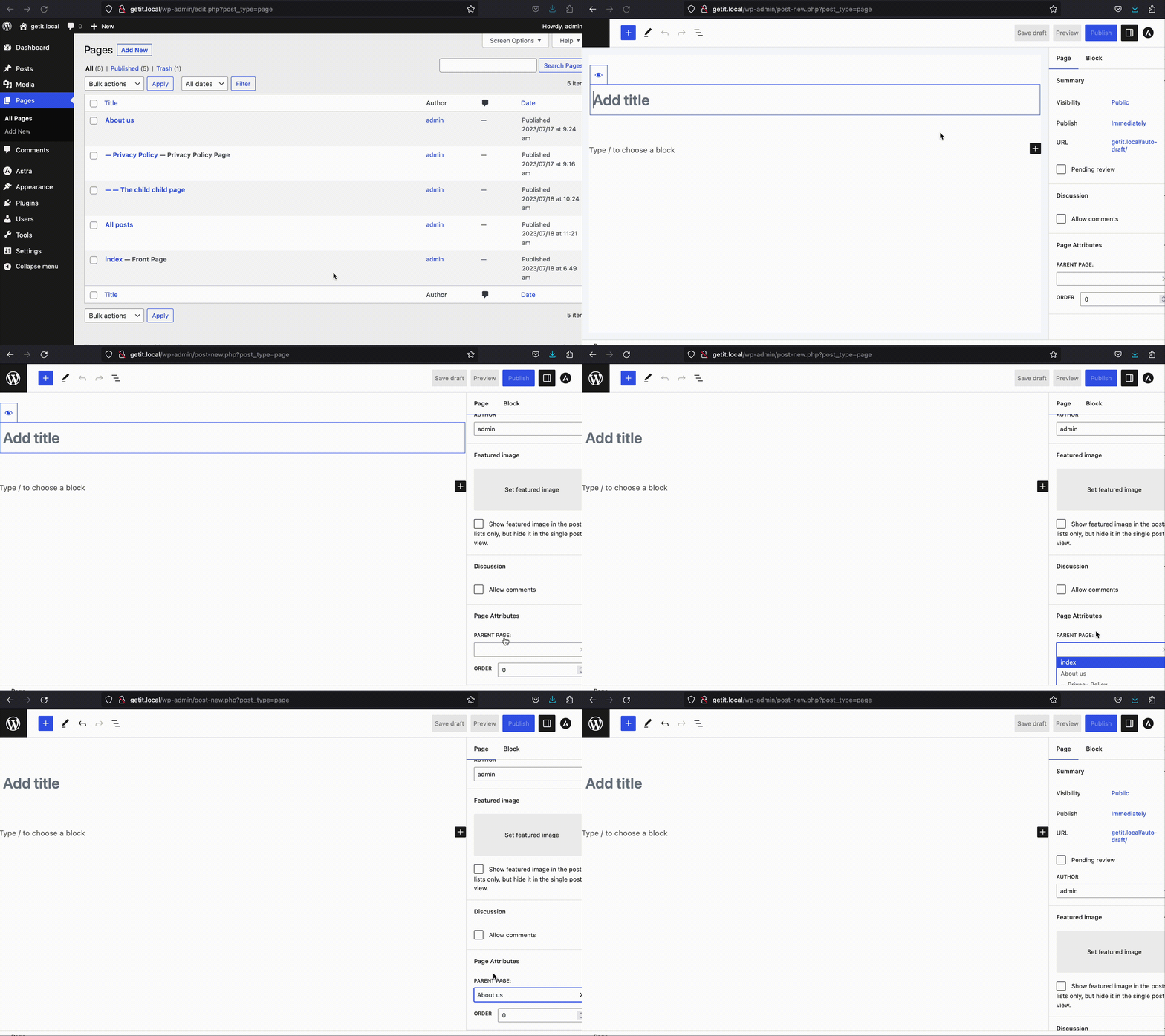
After creating a new page, editor will open. on the left navigation of the editor at end you can see page attributes
Under page attributes you can see parent page, you can select any page as parent from that to your child page.
Leave a Reply