- Installing the WP CLI
- Few Commands
- Updating CPT support on the fly
- How is text domain loaded for theme and plugin?
Installing WP CLI
We can download the phar file of wp-cli using curl

after downloading, to verify we can run it using the php and check

Now, as per the official docs, if we want to be able to use this normally like using wp only then we have to first make this executable and then move it to /usr/local/bin/wp
chmod +x wp-cli.phar
sudo mv wp-cli.phar /usr/local/bin/wp
And now we can use it by wp
Another more simpler way to install it using homebrew (for mac user)
brew install wp-cliFew commands
We can pretty much do anything in wordpress using the cli, we can install single site or multisite or convert single site to multisite installation
We can update the wordpress and database, we can verify the md5 checksum.
We can manage plugins, themes, posts, users etc.
To install wordpress use wp core install but before that first we have to download using wp core download
After downloading, we have to create wp-config file.
Below Are few commands I tried
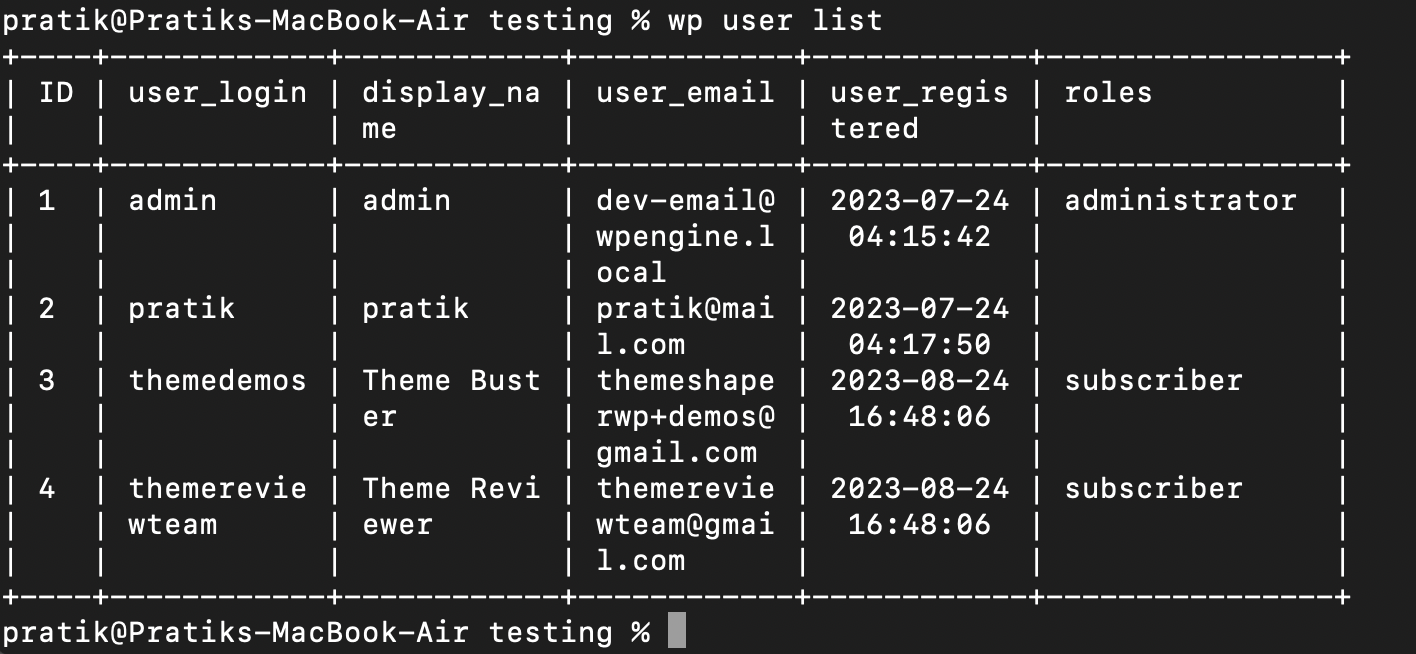
We can install plugins, activate them, remove them etc



load_theme_textdomain() vs load_plugin_textdomain()
Why there are two different functions for theme and plugin textdomain loading?, same question I was asked in QnA. I had no idea how to answer it
After looking at the code inside both of this functions, they are basically same functions, they both load the text domains
why different functions then?, one reason could be to separate the context in which this functions are used, the main function used to load textdomain is load_textdomain
How to update the support of CPT
Well we know we can set the ‘supports’ args in the register_post_type function, but what if we want to update it after registering the CPT without touching the CPT code?
here’s how to do that. For this we can use the filter register_post_type_args
<?php
function modify_support($args,$post_type){
    if($post_type === 'rt-book'){
        $args['supports'] = array('title','excerpt');
    }
    return $args;
}

add_filter('register_post_type_args','modify_support');
Leave a Reply