- functions.php
- Common template tags
- Creating a page template
functions.php file
The functions.php file inside any theme directory can be used to write code that is necessary for the theme like enqueuing styles and scripts.
We can also load our textdomain in this file, and add theme support. Below is a sample functions.php file that loads the textdomain
<?php
/**
 * Function to set up the screen time theme.
 */
function screen_time_setup(){
//Make theme available for translation
	load_theme_textdomain( 'screen-time', get_template_directory() . '/languages' );
}
?>
we can hook this function into the ‘after_theme_setup’ hook
add_action( 'after_setup_theme', 'screen_time_setup' );
Common Template Tags
1: get_header() : loads header template
2: get_footer(): loads footer template
3: get_sidebar(): loads sidebar template
…wait, I am not going to list all tags here, here is how you can find the general tags by yourself
Open public directory of your site, inside that go to “wp-includes” directory and find “general-template.php”, this files has all the general tags with nice documentation
Creating Page Template
We can create our own page template for that
Create a file name it anything like mytemp.php, we don’t have to name it like page-mytemp.php
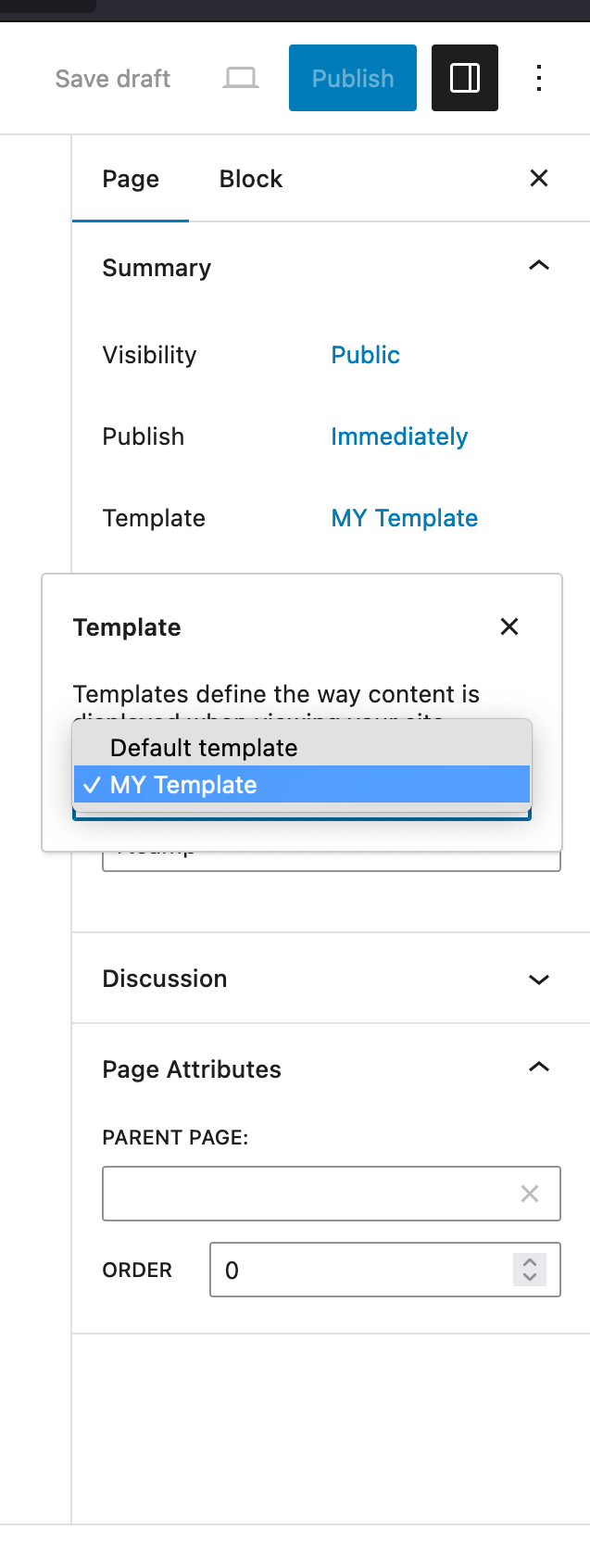
<?php /* Template Name: MY Template */ ?>
We can customize this template according to use case and then use it when creating new page.
Leave a Reply