- Lighthouse CLI

- Page Tempalate
- Themese and Multisite

What is Lighthouse?
Lighthouse is an open-source, automated tool for improving the quality of web pages. You can run it against any web page, public or requiring authentication. It has audits for performance, accessibility, progressive web apps, SEO, and more.
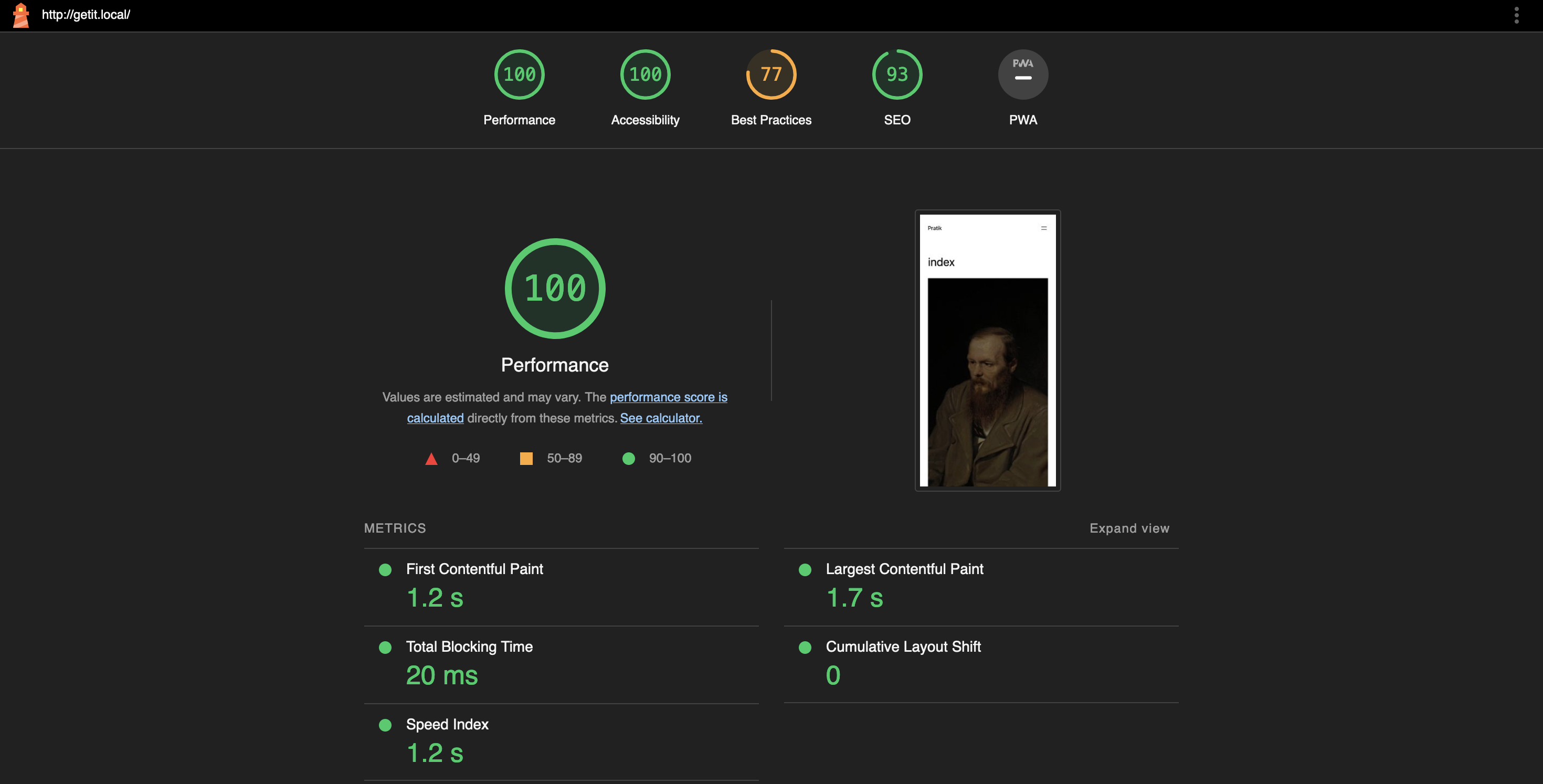
Basically, we can use the lighthouse to check how our website is performing against some metrics.
These metrics are:-
- First Contentful Paint
- Speed Index
- Largest Contentful Paint
- Cumulative Layout Shift
- Total Blocking Time
There are multiple ways to use lighthouse, you can check out here. In this blog I will be talking about the CLI only.
prerequisites:
- Node LTS and npm must be installed
- Google chrome installed
Install the lighthouse node package from npm
npm install -g lighthousethe -g will install it for global use.
To run audit on your local wordpress site use below command
lighthouse http://getit.local --viewReplace the url with your own site, I have set –view as I want to see the results when it is complete.
Running this will open the chrome browser, run the audit and create a nice report for your site, it will look something like this,
Explore it using command
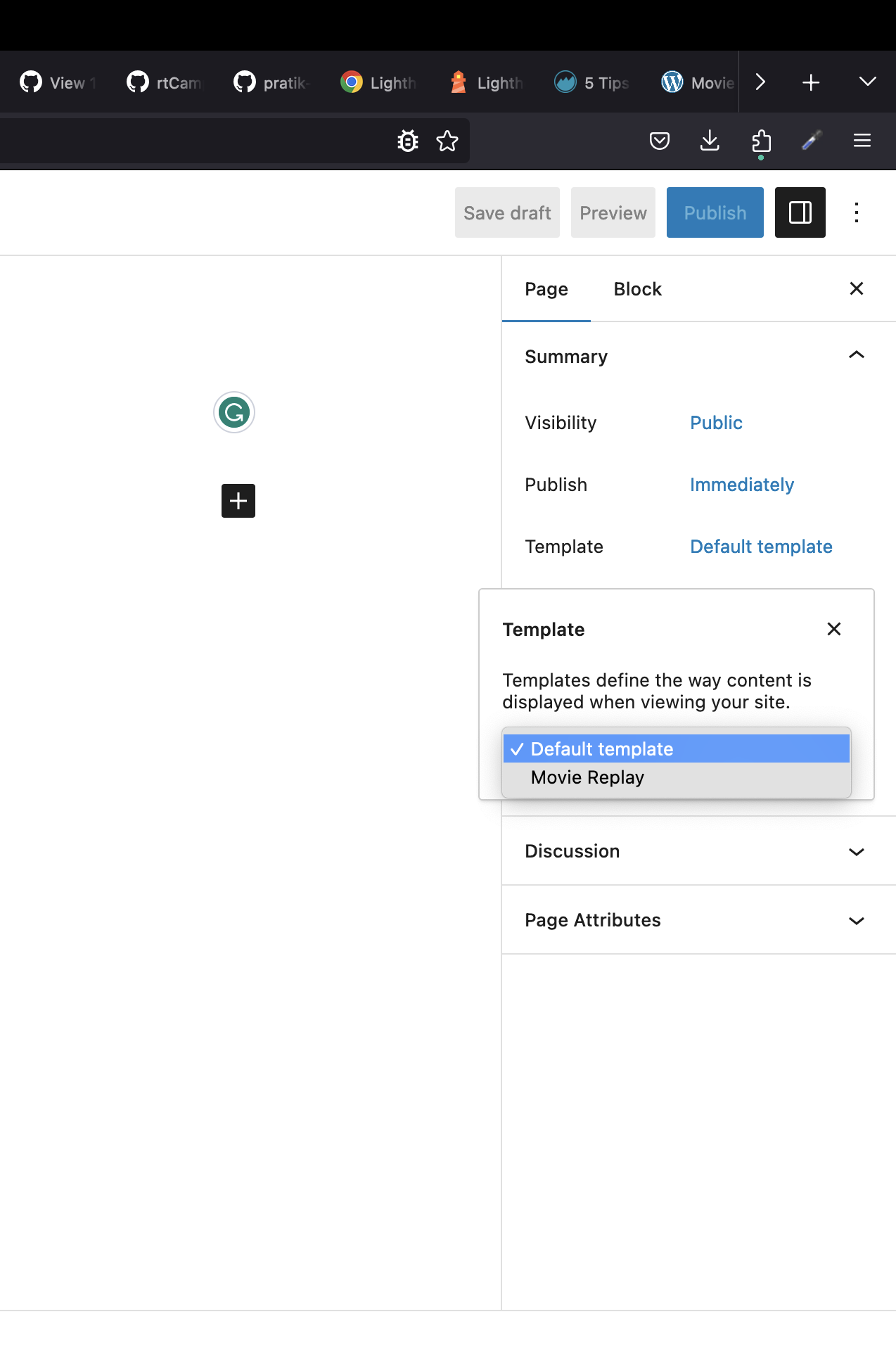
lighthouse --helpCreating Page template:
To create a page template we have to add header comment
<?php
/*
Template Name: Movie Replay
*/
Below Code is for a 404 template, that will echo some output if the curent setup is a multisite.
<?php

get_header();

if (is_multisite()) {
	_e('We are in a multisite', 'test');
}

if (is_main_site()) {
	_e('This is the main site of the network', 'test');
}
?>


<div>
	<?php _e('not found, maybe try searching?', 'test') ?>
</div>

<?php get_footer();
?>
Leave a Reply