Category: Uncategorized

  • day 40

    • Changing the default base wp-json to something else
    • Create sub command of a main command
    • Different ways to log ouput in WP CLI
    • Optional positional arguments?

    Can we change the default prefix of the wp rest api ?, there’s a hook for that!

    We can use the filter rest_url_prefix to change the default wp-json to something else

    add_filter('rest_url_prefix', function(){
    	return 'api';
    });
    

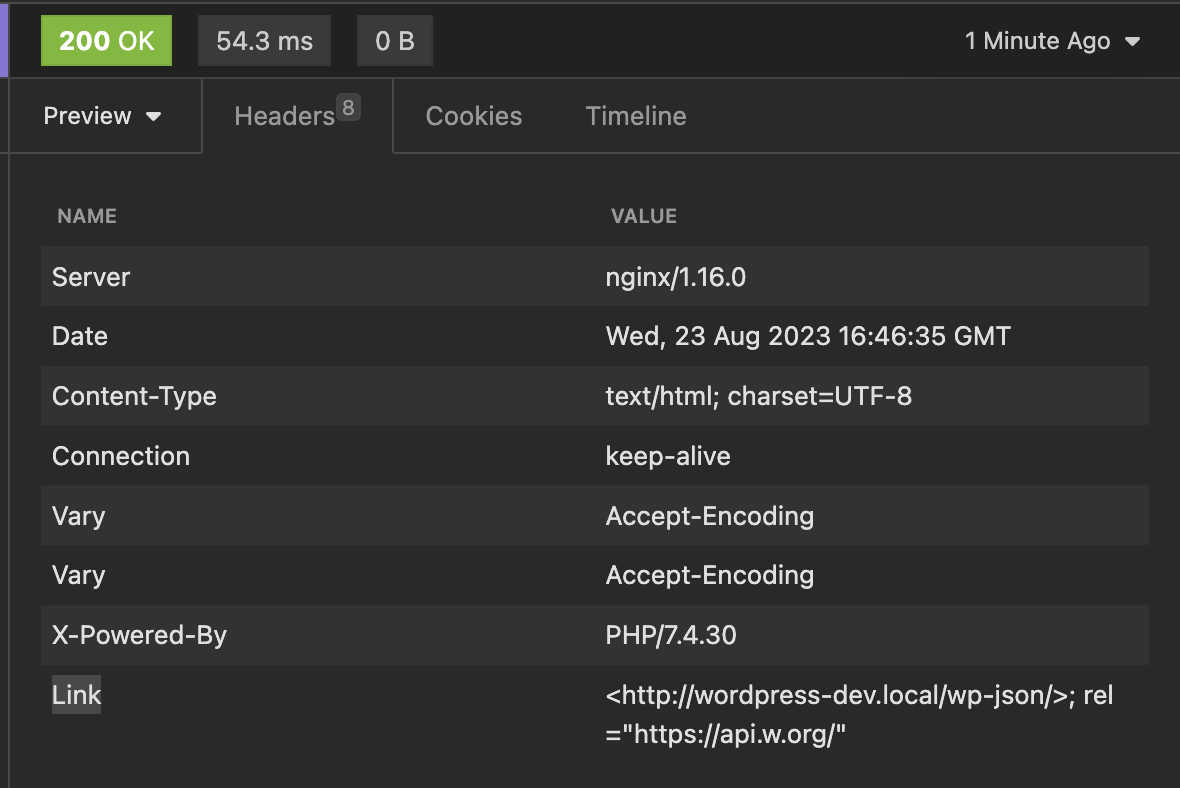
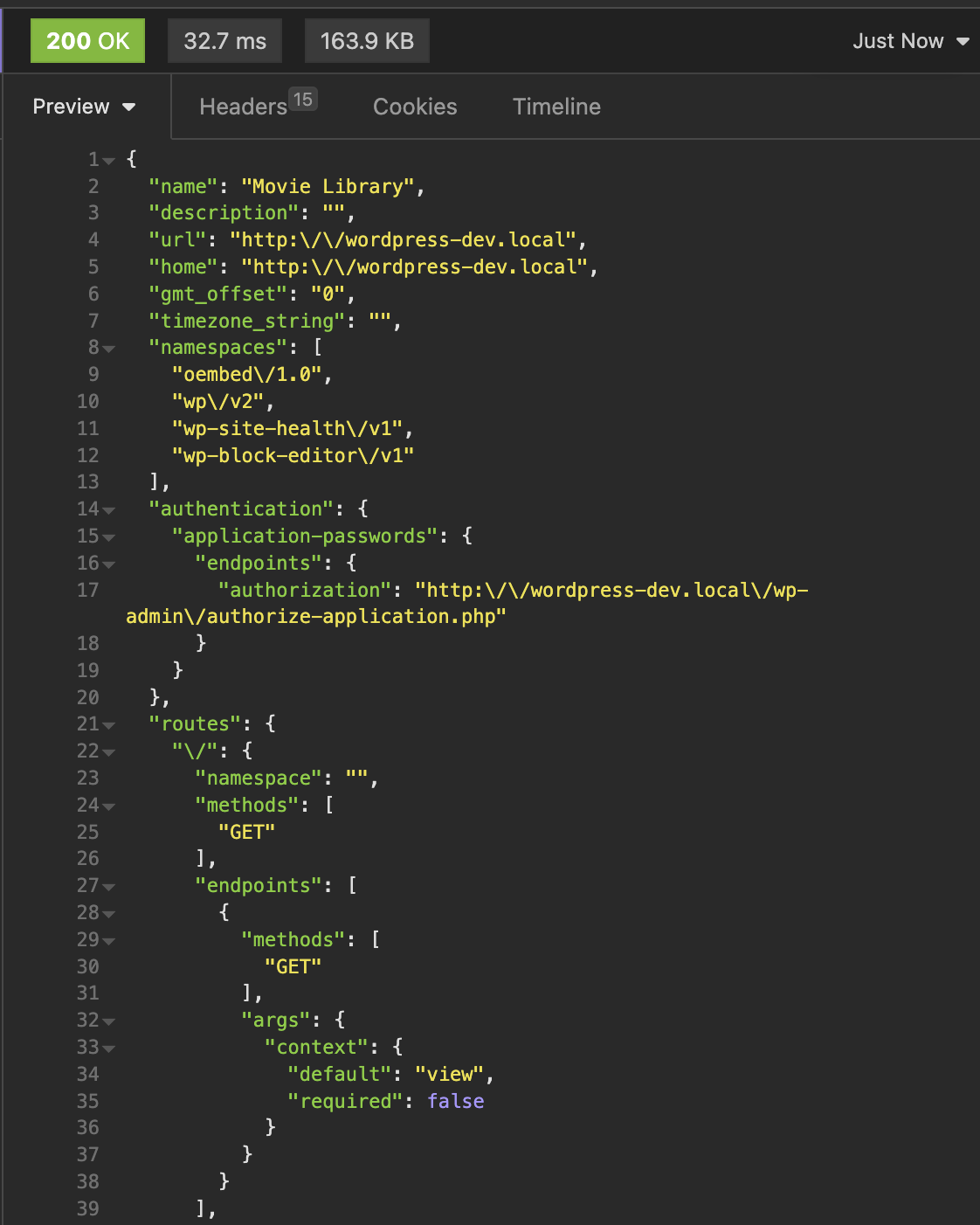
    We can see that when sent a get request to site root , we get the Link header containing the API link.

    But if we try to access it, it will give 404 error, as only updating from here will not be enough we will have to update the rewrite rules too.

    For that we can quickly go to settings>permalinks and click on save to rewrite the rules, and it starts working.

    Just because we can change the base, should we?

    No, in most cases except for some use cases we don’t have to change the base as other plugins or applications maybe depend upon that.


    Can we create a subcommand for a main command like core, db or something?

    Yes, we can. While registering the command we can add it as a subcommand for other command

    /**
     * Say hello
     */
    function sayhello(){
    	WP_CLI::error('hello');
    }
    WP_CLI::add_command('core sayhello' , 'sayhello');


    This will register a sub command sayhello under core command


    WP CLI not only supports success and error log but also below output methods:
    • WP_CLI::error('hello');
    • WP_CLI::success('hello');
    • WP_CLI::line('hello');
    • WP_CLI::warning('hello');

    Or we can just use our echo to output

    Here is how they all look from CLI

    Notice that I have put the error at the end, as putting it before will just terminate the execution and other output will not work.


    Can we set the positional arguments in CLI as optional?

    Positional arguments can be made optional by wrapping them in []

    /**
     * Say hello
     * 
     * ## OPTIONS
     * 
     * [<name>]
     * : Name of person
     */
    function sayhello(){
    .....
    

  • end of week 8

    • Custom route pagination
    • CORS

    Adding Pagination to custom routes

    So, the deault routes have query paramters like page and per_page to handle pagination, we can also that in out route.

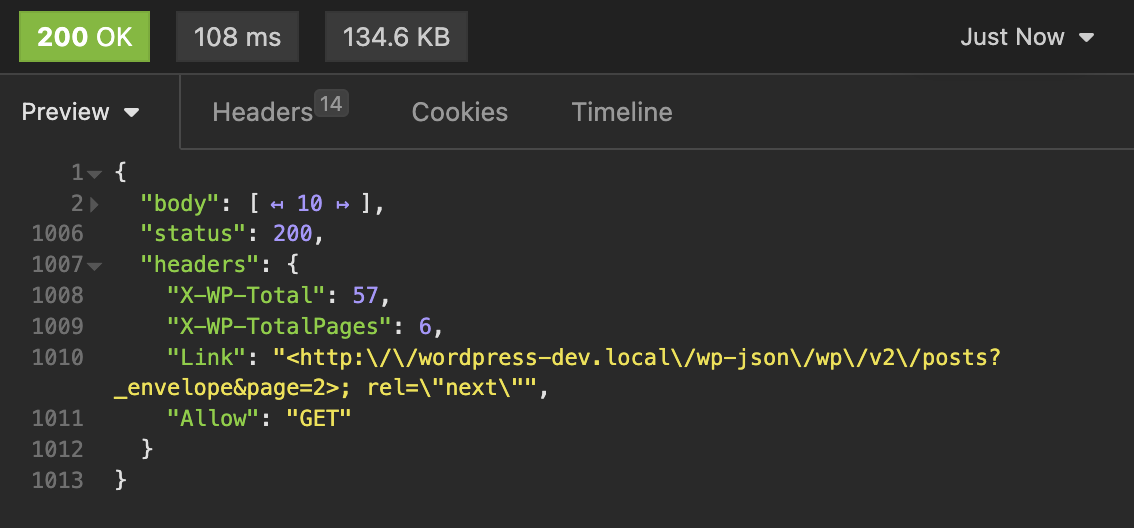
    When we send request to a builtin route like wp/v2/posts , in the headers we get two headers for pagination :

      X-WP-Totalno. of total pots
      X-WP-TotalPagestotal pages

      So, in order to make our rest api also similar we can expose these headers and also allow the paramters page and per_page for this.

      This is the code I have written.

      function resgister_celebs_route() {
          register_rest_route(
              '/rt-movies/v1/',
              '/celebs',
              array(
                  'methods'  => 'GET',
                  'callback' => 'celebs_route_callback',
                  'args'     => array(
                      'page'     => array(
                          'type'        => 'integer',
                          'description' => 'Page Number',
                      ),
                      'per_page' => array(
                          'type'        => 'integer',
                          'description' => 'Number of posts per page',
                          'default'     => 10,
                      ),
                  ),
      
              )
          );
      }
      
      add_action( 'rest_api_init', 'resgister_celebs_route' );
      

      This is code of the function that will handle our pagination

      function celebs_route_callback( WP_REST_Request $request ) {
          $request_params = $request->get_query_params();
          $default_params = array(
              'page'     => 1,
              'per_page' => 10,
          );
      
          $params = wp_parse_args( $request_params, $default_params );
      
          $args = array(
              'post_type'      => 'rt-celebs',
              'posts_per_page' => $params['per_page'],
              'paged'          => $params['page'],
          );
      
          $query       = new WP_Query( $args );
          $posts       = $query->get_posts();
          $total_posts = $query->found_posts;
          $total_pages = ceil( $total_posts / $params['per_page'] );
      
          // Return 400 if page number if greater than total pages
          if($params['page'] > $total_pages){
              return new WP_Error( 'invalid_page_number', 'Invalid page number', array('status' => 400 ) );
          }
      
          // Prepare the response.
          $response = new WP_REST_Response();
          $response->set_data( $posts );
          $response->header( 'X-WP-Total', count( $posts ) );
      
          $response->header( 'X-WP-TotalPages', $total_pages );
      
          return $response;
      
      }
      

      Cross-Origin Resource Sharing (CORS)

      Cross-Origin Resource Sharing (CORS) is an HTTP-header based mechanism that allows a server to indicate any origins (domain, scheme, or port) other than its own from which a browser should permit loading resources.

      MDN

      So basically, browsers follow same-origin policy , means if your web app tries to make request to an api on a differetn domain, it will not work.

      But what if the request is necessary, like you have a decoupled architecture and hosted multiple api on different domains and for frontend the domain is different. For that we have to allow CORS

      It work by HTTP headers mechanism, means we can set header that tell the browser that this specific domains CORS are allowed

      here are the HEADERS used in CORS

      Access-Control-Allow-Origin: https://myapi.com
      Access-Control-Allow-Methods: POST, GET, OPTIONS
      Access-Control-Allow-Headers: X-PINGOTHER, Content-Type
      

      To use this in wordpress, we can hook into the pre server request and update the header.

      function set_cors_headers($value) {
      	header( 'Access-Control-Allow-Origin: *' );
      
      	return $value;
      	
      }
      
      add_filter( 'rest_pre_serve_request', 'set_cors_headers', 999 );
      

      Why the priority is set 999, well ther is a function in rest-api.php named rest_send_cors_headers() which also set the cors headers but it sets so that all origin request are allowed.

      So we have to make sure that our function runs after that

      Why not just unhook the function and use our own? , yes it is also possible to do.

      Restricting API access to only one host

      function restrict_api() {
      	$allowed_host = 'getit.local';
      
      	if ( isset( $_SERVER['HTTP_ORIGIN'] ) && $_SERVER['HTTP_ORIGIN'] === $allowed_host ) {
      		header( "Access-Control-Allow-Origin: $allowed_host" );
      	} else {
      		wp_send_json_error( array( 'message' => 'Requests not allowed from this host' ), 403 );
      		exit;
      	}
      }
      
      add_action( 'rest_api_init', 'restrict_api' ,9999);
      
    • day 38,

      WP-CLI, intuitive commands

      The wp cli is a great tool, also it’s commands are intuitive. If we just know the core commands, we can guess what command would be to do something

      e.g. what would be a command to create a post? it is, arguments? We can use --prompt flag so the command asks us all the arguments.

      It is very easy to learn the commands when we start with an objective, say we have to generate some dummy posts on our demo site, what would be the command for that, it is wp post generate


      WP REST

      • WP_REST_Server
      • WP_REST_Request
      • WP_REST_Response

      Above classes are used in WP REST API to handle request response

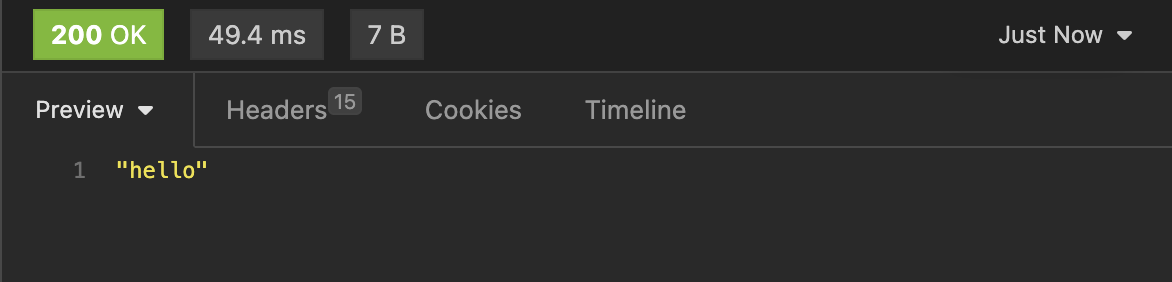
      When we register a callback function for our route, object of WP_REST_Request is passed to it, then we can use it to get the body and return some response.

      For that we can use the WP_REST_Response class, We can create its object to send custom response , with custom headers and stuff.

      The WP_REST_Server is the class used to implement the server

      Like most of the things in WordPress, it used an array to store all the endpoints


      Endpoint that return `405` on invalid post body

      add_action('rest_api_init', 'is_it_json');
      
      function is_it_json() {
      	register_rest_route('is_it_json/v1', '/verify',array(
      		'methods'  => 'POST',
              'callback' => 'is_it_json_callback',
      	));
      
      }
      
       function is_it_json_callback(WP_REST_Request $request){
      	$body = $request->get_body();
      	
          $data = json_decode($body);
      	// inValid json
      	if(null === $data){
      		return new WP_Error('invalid_json', 'Invalid JSON', array('status' => 405));
          }
      
      	
      }
      

      This will only work for the custom route.


      WP User and WP Post command

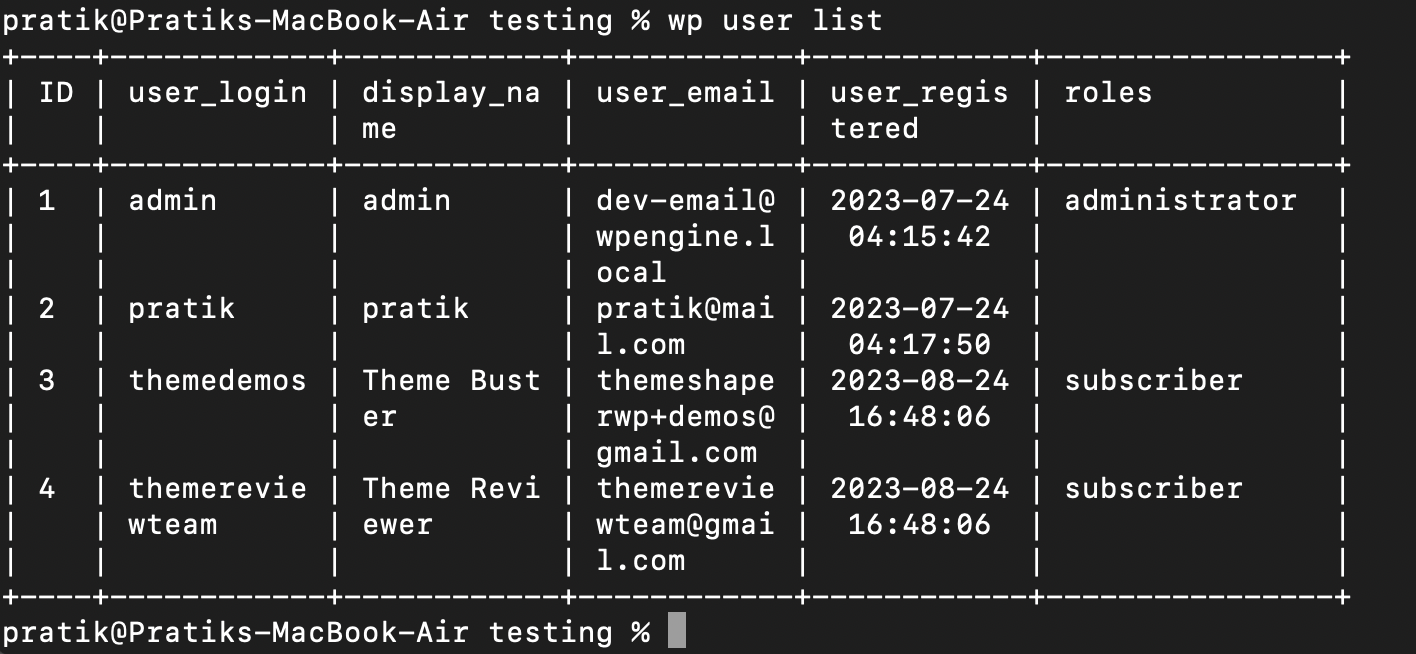
      We can perform CRUD operations on Users and posts from this commands

      Here’s what I did, first listed all the users on my site, then changed role of one of the user

    • day 37,

      • wp eval
      • wp db

      wp eval : execute php code

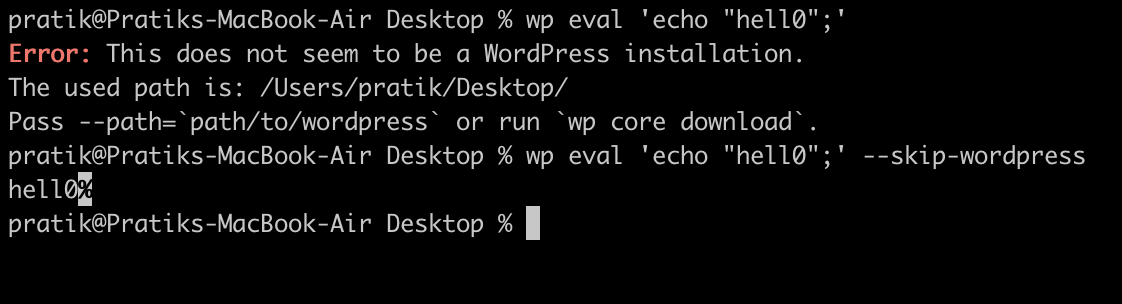
      Using wp eval command we can execute any php code, we have to provide the code as string.

      This command also loads the wordpress core, we can skip that and not load it using the option –skip-wordpress

      Above command runs even when we don’t have the WordPress installed

      wp eval-file

      Similar to wp eval, we can use wp eval-file , to execute php code.

      Instead of giving it a string, we can provide filepath and it will run it.

      These commands are helpful when we have to quickly run some files

      wp db : for database operations

      The wp db command can be used to perform operations on the database.

      We can create new database, drop existing database or even run a query from a sql file on the database.

      To connect with the database it uses wp-config.php file, so we have to put our db username passwords.

      wp db cli

      Using this command we can open the mysql cli and perform the operations from there.


    • day 36

      • Profile command
      • wp doctor command
      • Changing slug of CPT, from theme

      Profile command

      Install using

      wp package install wp-cli/profile-command:@stable

      Or for latest dev version use this

      wp package install wp-cli/profile-command:dev-master

      wp profile stage

      • We can use this command to get the loading time of each stage of wordpress load

      We can use this to see where the site is taking time to load

      We can the drill down into specific stage using wp profile stage <stage>

      wp profile stage main_query

      This will give the data hook wise which then we can use to again drill down to specific hook

      wp profile hook <hook name>

      It will show which function is hooked into it, in which file and on which line

      It is a very useful command when figuring out why exactly the site is loading slow.


      wp doctor command

      The wp doctor command runs some checks on our site from that we can diagnose our site

      To install wp doctor use

      wp package install wp-cli/doctor-command:@stable

      or for dev version

      wp package install wp-cli/doctor-command:dev-master

      Below is the list of checks it runs

      • autoload-options-size : Warns when autoloaded options size exceeds threshold of 900 kb.
      • core-update : Errors when new WordPress minor release is available; warns for major release.
      • plugin-active-count : Warns when there are greater than 80 plugins activated.

      These are just few, we can get the whole list using command wp doctor list


      Changing slug of CPT, from theme

      Why would we ever want to do this? , well in my case I forgot to remove the rewrite argument in CPT registration, which changes the default slug from something that I do not want.

      Why not change the CPT code itself?, the CPT code is in the remote envrionment and I am working on the theme branch makes no sense to change the code inside plugin to hotfix this issue

      Below is the code I tested if works

      function change_person_slug( $args, $post_type ) {
      
      	/*item post type slug*/   
      	if ( 'rt-person' === $post_type ) {
      	   $args['rewrite']['slug'] = 'rt-person';
      	}
       
      	return $args;
       }
       add_filter( 'register_post_type_args', 'change_person_slug', 10, 2 );
      

      We have to refresh the permalinks by going to admin and clicking save on permalinks. As it will need to get refreshed.

    • day 35

      • Adding auth to WP REST API
      • Using wp_filesystem
      • The is_admin() tag

      We can a permission callback to the custom REST route we are registering so it can be used to authenticate the requests.

      It is important to secure endpoints that update the site data in any way using proper auth.

      WP REST handles the authentication, we just have to enable it and use it.

      register_rest_route(
      			'movie-library/v1',
      			'/rt-movie',
      			array(
      				'methods'             => WP_REST_Server::CREATABLE,
      				'callback'            => array( $this, 'rt_movie_post_callback' ),
      				'permission_callback' => array( $this, 'rt_movie_permission_callback' ),
      
      			)
      		);
      
      public function rt_movie_permission_callback( $request ) {
      
      		if ( current_user_can( 'edit_posts' ) ) {
      			return false;
      		}
      
      		return true;
      	}


      Using wp file system


      When doing any kind of file operations in the wp environment, we can use the wp file system, It is used by the core to perform updates and internal use.

      To use the wp file system, first we have to initialize it and use the global $wp_filesystem object

      if ( ! function_exists( 'WP_Filesystem' ) ) {
      			require_once ABSPATH . 'wp-admin/includes/file.php';
      		}
      		WP_Filesystem();
      global $wp_filesystem;


      Then we can use it to create files like this

      $wp_filesystem->put_contents( 'myfile.txt, 'hello' );
      

      is_admin() tag

      This conditional is used to check if the current request is for the admin page, so we can use this to enable some functionality only in the admin back-end

      It does not check if current user is admin or logged in, just if requested for admin page, returns true. Do not use this for authentication at all, use the capability and roles for that

    • end of week 7

      • Creating custom route in WP_REST
      • CRUD on options from CLI

      About everything in WordPress is extensible, even the rest API allows us to create our own endpoints and serve data over them.

      It is fairly simple to register a new endpoint, for that we have to use the function register_rest_route()

      To this function we have to pass the namespace and the route as parameters

      This function internally calls the method register_route() of the class WP_REST_Server

      then our route is added to the array of endpoints registered on the server.

      Here’s the code to do that

      First we need to create a function that will handle request and return something

      <?php
      function  return_hello( $data ) {
      	return "Hello!";
      	}


      Then we have to create another function that will register all the routes, we are currently registering only one here

      <?php	
      function register_routes(){
      	register_rest_route( 'pratik/v1', '/hi', array(
      	'methods' => 'GET',
      	'callback' => 'return_hello',
      	) );
      	}
      

      We have registered the route /hi in the namespace pratik/v1

      Now we have to hook into the rest init and register this route

      	add_action( 'rest_api_init','register_routes');


      Done, let’s check it out if it works


      CRUD on options from CLI

      We can access the options of a site from cli using the wp options command

      It has subcommands as below:-

      • delete : Deletes an option.
      • add : Adds a new option value.
      • get : Gets the value for an option
      • list : Lists options and their values..

      If this was not enough, we can extend the WP CLI too!

    • day 33

      • Installing the WP CLI
      • Few Commands
      • Updating CPT support on the fly
      • How is text domain loaded for theme and plugin?

      Installing WP CLI

      We can download the phar file of wp-cli using curl

      after downloading, to verify we can run it using the php and check

      Now, as per the official docs, if we want to be able to use this normally like using wp only then we have to first make this executable and then move it to /usr/local/bin/wp

      chmod +x wp-cli.phar
      sudo mv wp-cli.phar /usr/local/bin/wp

      And now we can use it by wp

      Another more simpler way to install it using homebrew (for mac user)

      brew install wp-cli

      Few commands

      We can pretty much do anything in wordpress using the cli, we can install single site or multisite or convert single site to multisite installation

      We can update the wordpress and database, we can verify the md5 checksum.

      We can manage plugins, themes, posts, users etc.

      To install wordpress use wp core install but before that first we have to download using wp core download

      After downloading, we have to create wp-config file.

      Below Are few commands I tried

      We can install plugins, activate them, remove them etc


      load_theme_textdomain() vs load_plugin_textdomain()

      Why there are two different functions for theme and plugin textdomain loading?, same question I was asked in QnA. I had no idea how to answer it

      After looking at the code inside both of this functions, they are basically same functions, they both load the text domains

      why different functions then?, one reason could be to separate the context in which this functions are used, the main function used to load textdomain is load_textdomain


      How to update the support of CPT

      Well we know we can set the ‘supports’ args in the register_post_type function, but what if we want to update it after registering the CPT without touching the CPT code?

      here’s how to do that. For this we can use the filter register_post_type_args

      <?php
      function modify_support($args,$post_type){
          if($post_type === 'rt-book'){
              $args['supports'] = array('title','excerpt');
          }
          return $args;
      }
      
      add_filter('register_post_type_args','modify_support');
      
    • day 32

      • Discovery of API
      • Authentication

      Discovery of API

      For the REST client to know about the route and endpoints of WP REST api, we use discovery methods.

      In the site’s html code, a <link> tag with the API url is put so we can get the route of the api

      The client can parse the html and get the href of API route

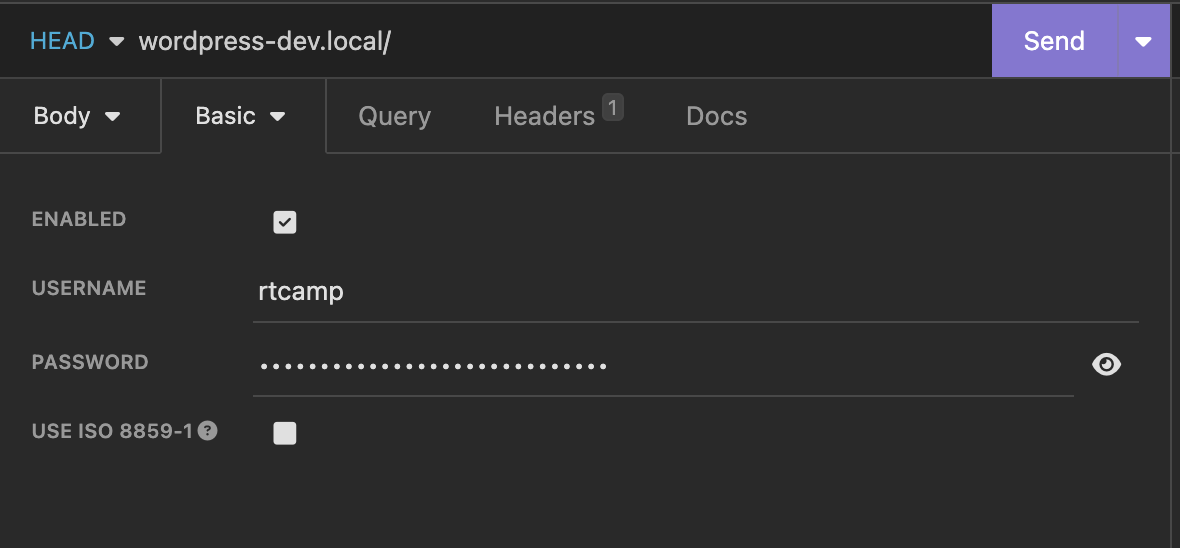
      Another method is to send HEAD request to the site and a header named Link is sent back. We can get the Route from there and further discover the namespaces.

      Check the last header Link


      Authentication

      The authentication of the WP REST api is something I did not like much, they use cookies for authentication and other method is application passwords.

      The limitation of cookie authentication is we can only use the rest api inside the wordpress.

      The application password authentication requires us to generate a password from admin dashboard and then use it with request.

      Below I have explained the process for basic auth with application passwords.

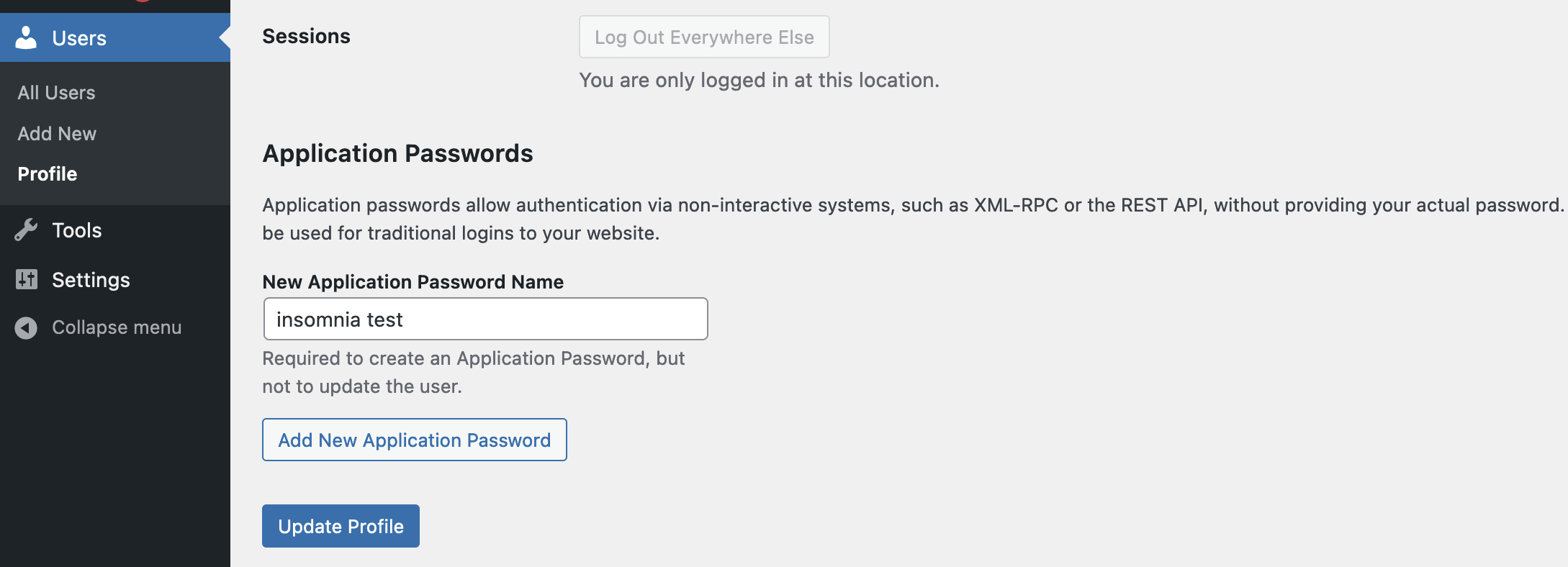
      The first step is to generate application password, for that from dashboard, edit the user and go to generate application password.

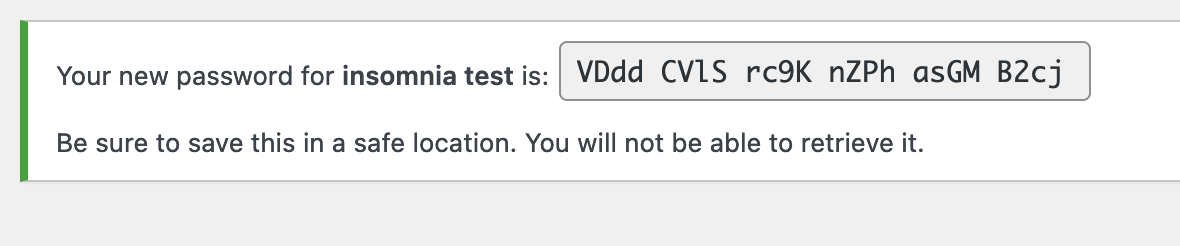
      Click on add new application password, and copy the password shown

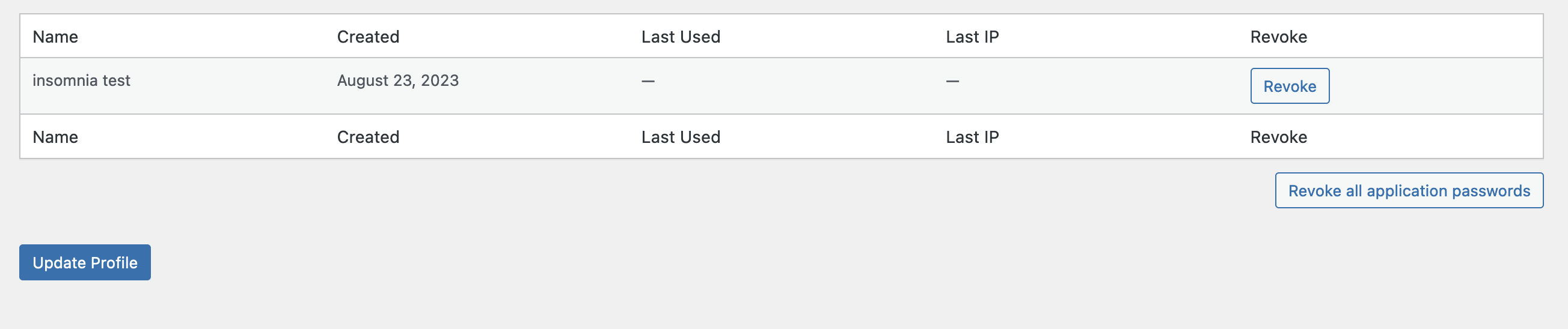
      Click on update profile, You can manage the application password set in profile

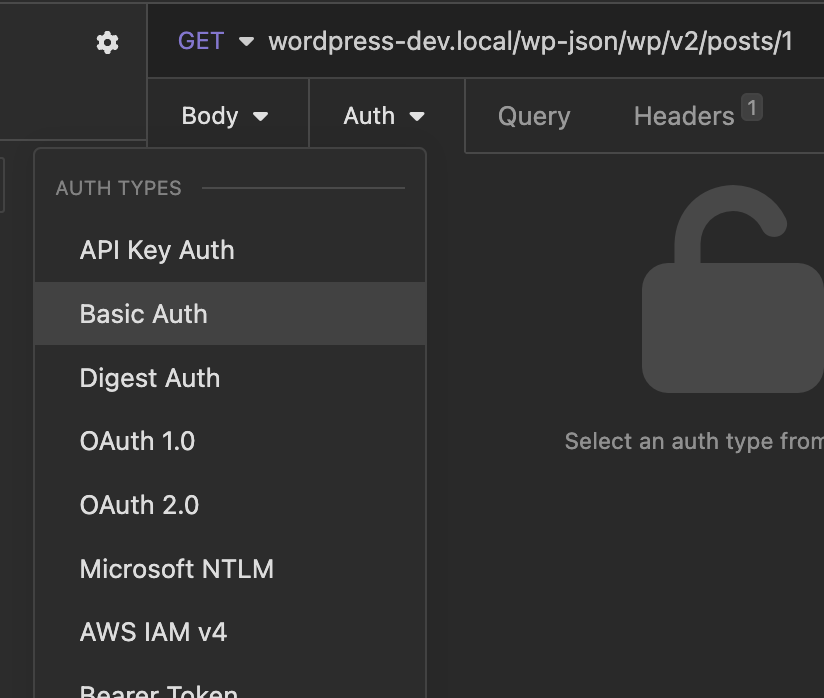
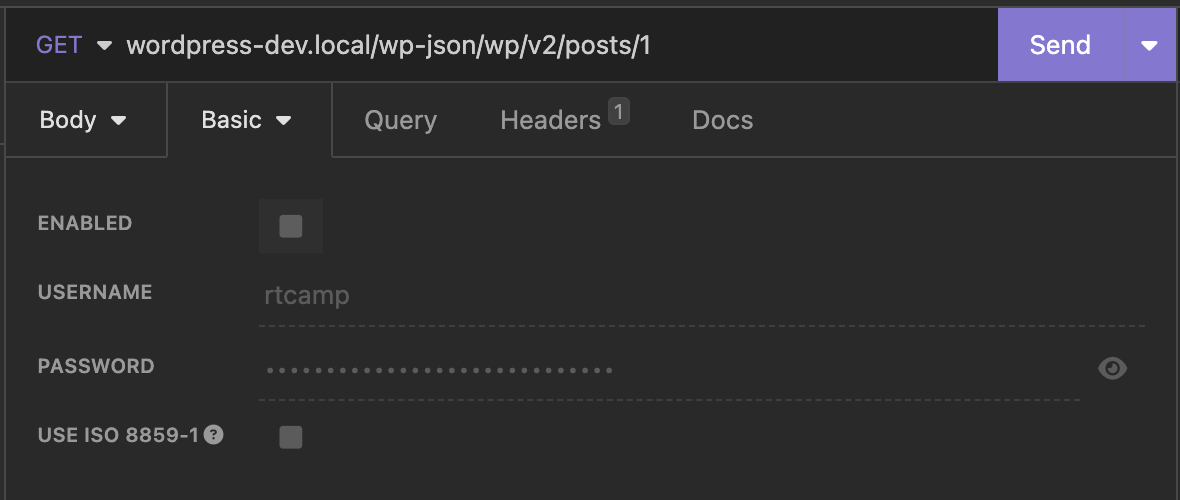
      Now, for this we are using insomnia to test.

      Open auth window in insomnia and select basic auth

      Input the user id and the password copied earlier

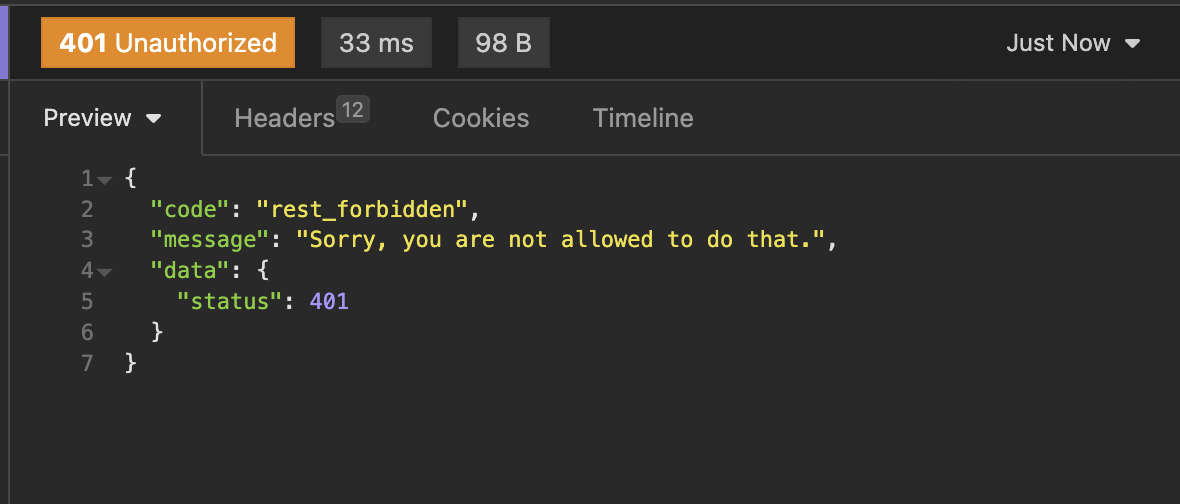
      I have made one post private for demo purpose, when I disable the auth this is response i get

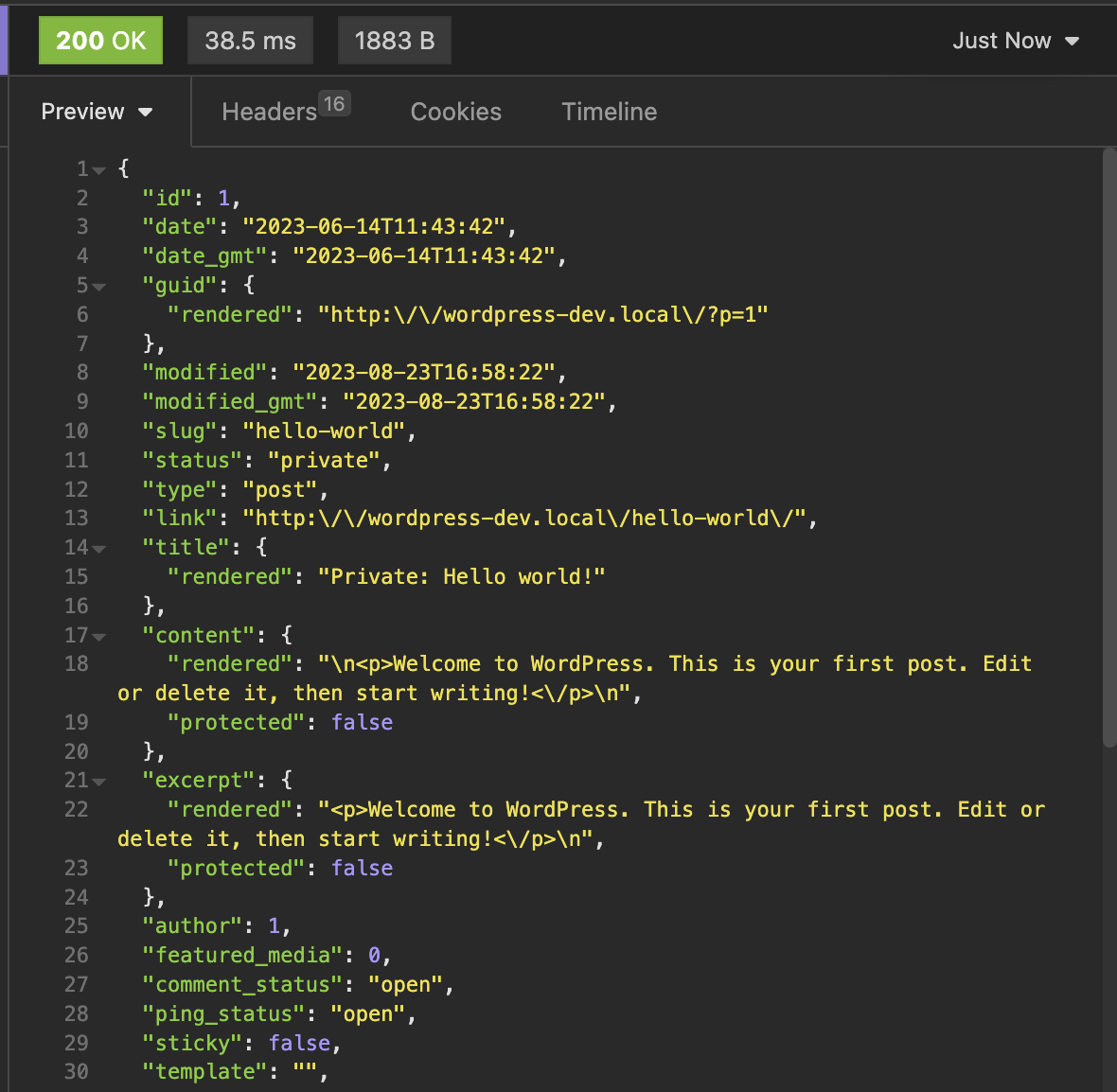
      Now let’s enable the auth and see what happens

      It works! , Please keep your application password safe!

    • wp rest api, continued..

      • Route vs Endpoint
      • HAL standard
      • Global Parameters

      Route vs Endpoint

      Routes are like the urls that we use for accessing stuff. Example would be http://wordpress-dev.local/wp-json/

      The Route when combined with a REST method becomes an endpoint

      The route http://wordpress-dev.local/wp-json/wp/posts has endpoints for GET, PUT and DELETE.

      We communicate with the endpoints using the appropriate methods from out REST client (insomnia in my case). We can also use curl for this.

      To list all the endpoints, we can send request to http://wordpress-dev.local/wp-json/


      HAL (Hypertext Application Language) Standard

      In the response we get we can see the _links key, which has links to stuff our post is connected to.

      the WordPress REST API does not closely follow this standard but the _links is taken from this standard.

      You can check more about this at https://en.wikipedia.org/wiki/Hypertext_Application_Language


      Global Parameters

      I learned about these global paramters that we can set in the request

      • _fileds
      • _embed
      • _method
      • _envelope

      _fields

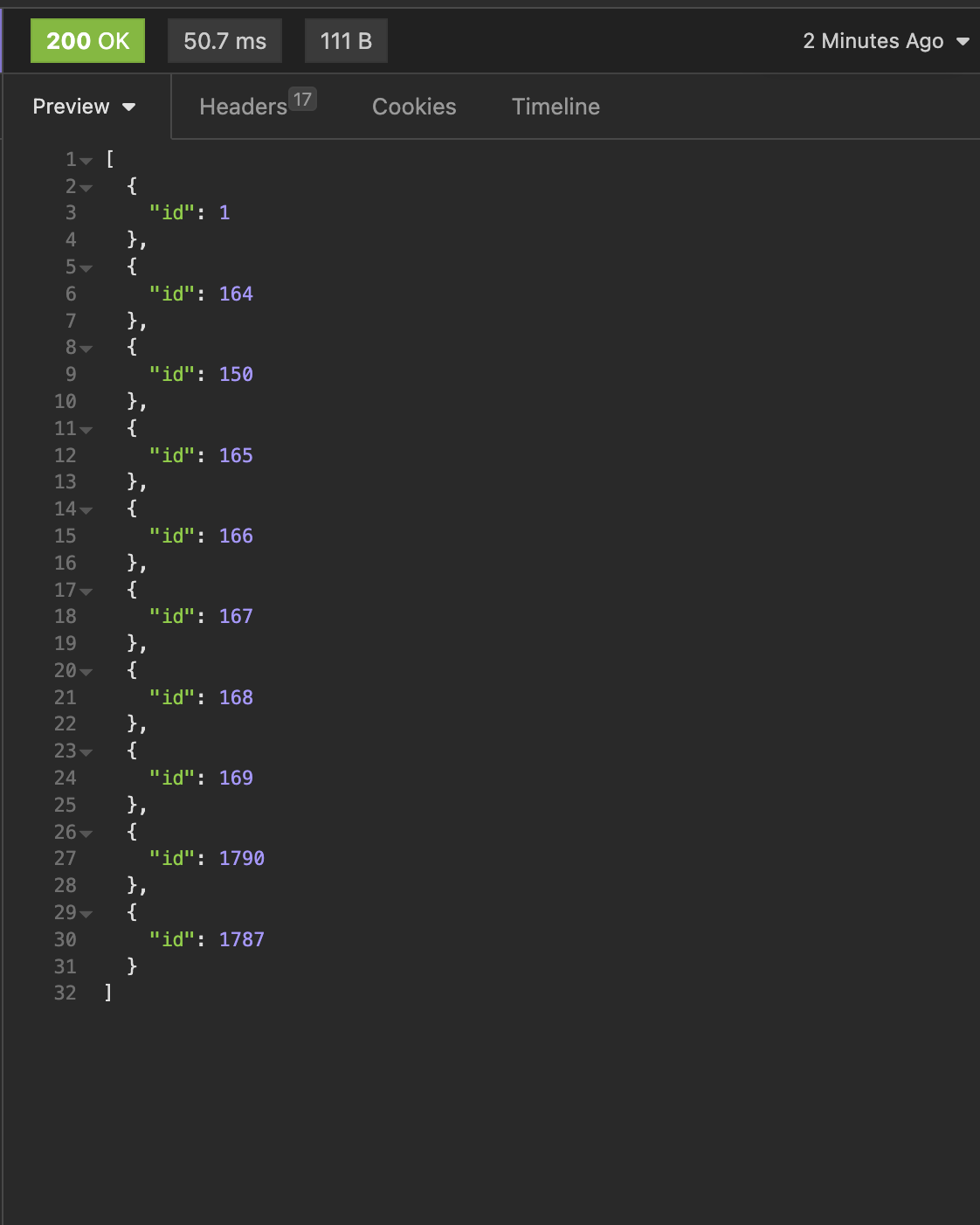
      If we want only some fields then there is no reason to query for all of them, this parameter helps us do that.

      I wrote this request and added _fields parameter so only id is returned.

      _embed

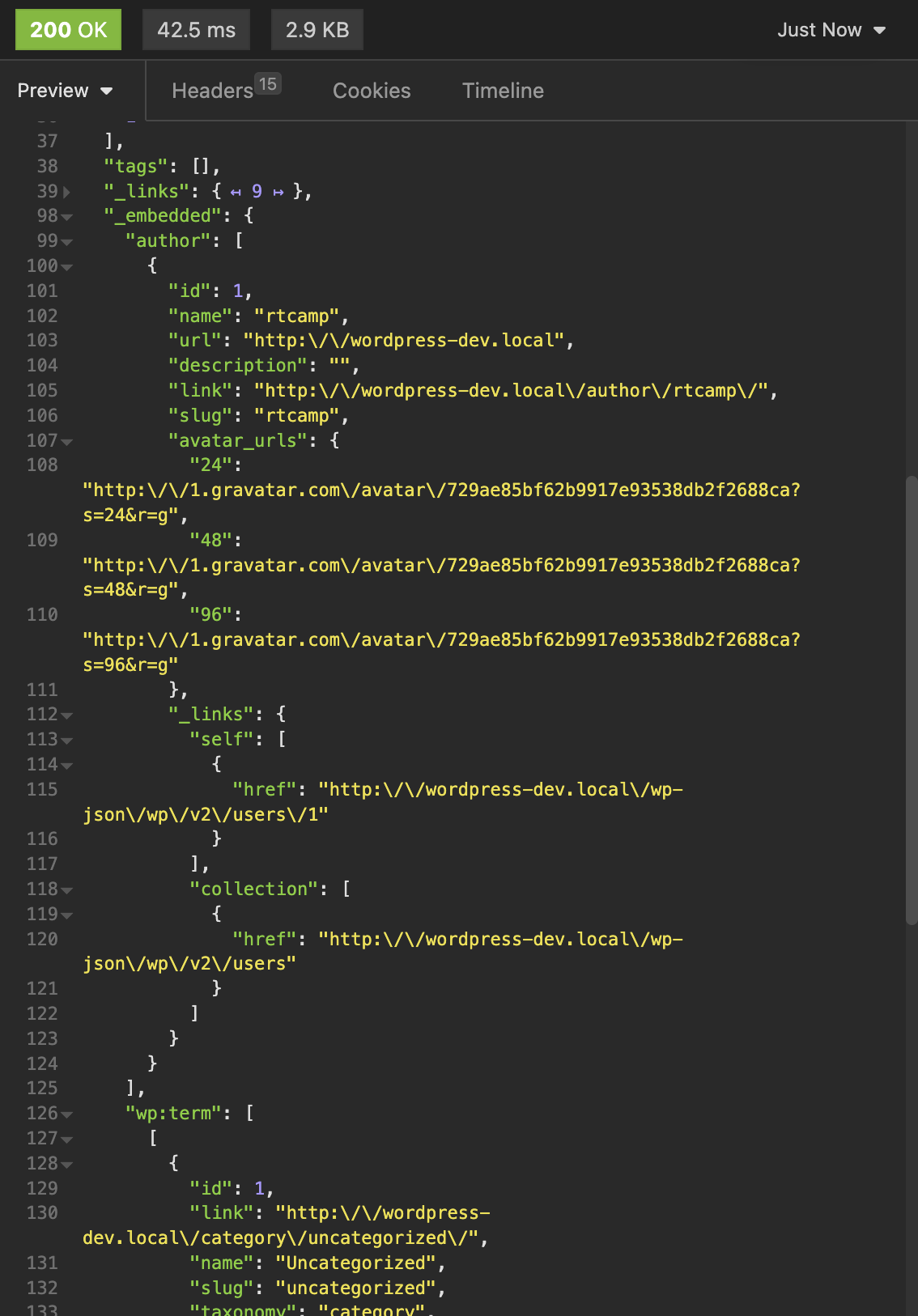
      We can use this parameters to get the href for embeddable links

      Below the _links, you can see the _embedded. This will ony return if the links have set embeddable as true.


      _envelope

      This is a really cool paramter, using this we can get the headers as a response. Check this